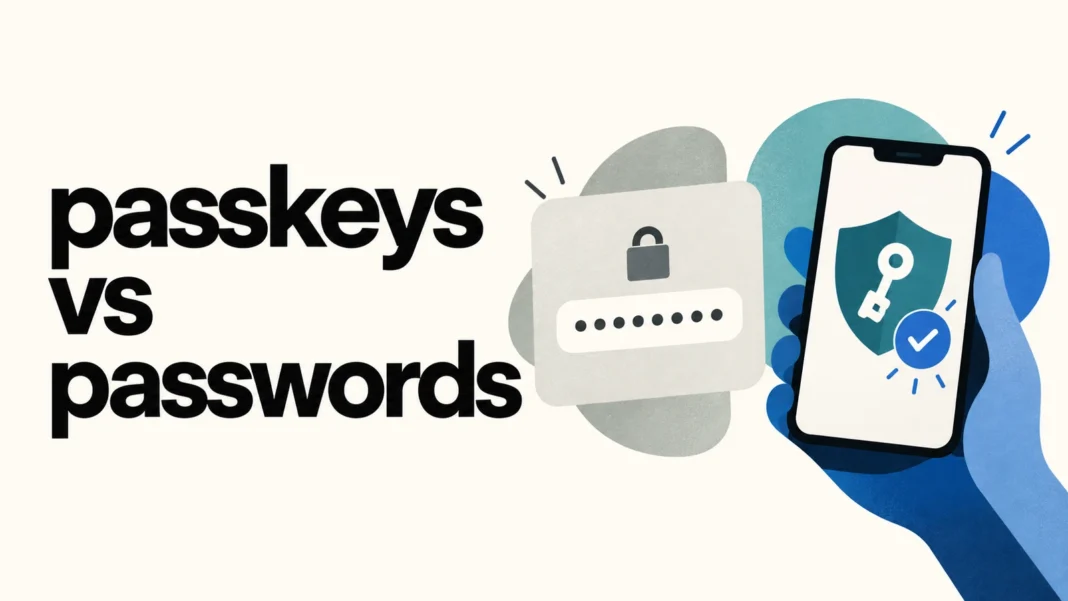

In the comparison of passkeys vs passwords, passkeys offer a different way to prove that you can access an account: your device or credential manager uses a cryptographic key, usually unlocked with a PIN or biometric check. You do not type a reusable account password into the site’s login form. That change provides phishing resistance, but recovery and device security still matter.
For everyday accounts, the useful questions are practical. Where will the passkey be stored? Will it sync to another device? What happens if you lose your phone? Which fallback methods remain enabled? Answer those before removing an existing sign-in option.
How passkeys work without a typed password
A user enters a password, a reusable secret, into a login form. A passkey uses a public-key credential associated with a particular service. During authentication, the authenticator signs a challenge, and the service checks the response using the corresponding public key. The authenticator keeps the private key during that sign-in.
The FIDO Alliance describes passkeys as a replacement for passwords that can be unlocked using familiar device interactions, such as a biometric check or PIN. The local unlock method and the account credential play different roles. Your fingerprint is not the passkey, and signing in does not require sending your fingerprint to the website.
This distinction also explains why “passwordless” does not necessarily mean “nothing to remember.” You may still need a device passcode or a credential-manager unlock method. Keep it secure and understand how the provider handles recovery.
Passkeys vs passwords: the everyday differences
- Sign-in: you enter or autofill a password; an authenticator signs a challenge with your passkey.
- Phishing: a fake login page can capture your password; correctly implemented passkey authentication binds the credential to the intended service.
- Storage: passwords often live in memory or a password manager; passkeys live in an authenticator or supported credential provider.
- Recovery: a password reset and passkey recovery may follow different paths, and both depend on the service’s account lifecycle.
- Portability: password managers commonly sync passwords; passkey syncing and transfer depend on the provider and supported devices.
Assess both options beyond the login screen. A service may let you use a passkey while retaining a password or another recovery route. Those remaining paths still need protection.
Why passkeys resist credential phishing
A fake login page can ask for a password that the attacker reuses elsewhere. Some attackers also relay one-time codes during an active login. FIDO2 authentication uses service-bound credentials and a challenge-response process instead. NCSC’s technical comparison explains why that design resists conventional credential harvesting and adversary-in-the-middle phishing against the authentication ceremony.
Phishing resistance does not mean every scam disappears. Someone can still trick you into making a payment, revealing personal information, or installing malicious software. Protect the device and pay attention to the action being requested after login. Authentication proves access to a credential. It does not decide whether a purchase, message, or account change is sensible.
NCSC recommends favoring passkeys where supported and using an additional factor with passwords where they are unavailable. A unique password stored in a reputable password manager remains useful for accounts that do not offer a suitable passkey option.
Synced and device-bound passkeys
A credential provider can sync some passkeys across multiple approved devices. Others remain bound to a particular device or security key. The distinction affects availability and recovery. A device-bound credential does not become available on a replacement phone merely because you sign in to the same cloud account.
FIDO’s deployment guidance discusses how synced passkeys can make continued access easier, while also emphasizing the importance of recovery. Check your provider’s actual policy. Your operating system or a separate password manager may manage the passkey on your phone, and those choices can produce different experiences.
For an Apple example, iCloud Keychain is designed to sync passwords and passkeys across approved devices with end-to-end encryption. Apple’s security documentation describes syncing and recovery as related services. That is a specific provider design, not a guarantee that every passkey provider offers the same recovery options.
What happens if you lose your phone?
Start by checking where you stored the passkey. If another approved device can use the synced credential, you may still be able to sign in. If the only usable credential was device-bound, you may need a second registered authenticator or the service’s recovery process. Losing the phone and losing every route into the account are different situations.
Before relying on a passkey for an important account, write down a short recovery plan. Identify the provider, your second access route, and where you keep recovery information. Check that you can reach that information without the missing device. A backup code saved only on the phone it is intended to replace will not help in that scenario.
OWASP’s Passkey Security guidance recommends supporting more than one authenticator and treating recovery as carefully as authentication. It also explains the limits: a compromised session, insecure recovery, or device compromise can undermine the surrounding account even when the passkey protocol works correctly.
Using another computer without storing your passkey there
Supported services may let you sign in on a computer using a nearby phone, often through a QR-code flow. Apple’s iPhone guide describes this process for supported websites and apps. The exact prompts depend on the service, browser, operating system, and chosen credential provider.
Keep the distinction between using your phone to authenticate and creating a credential on someone else’s computer. Review where the provider will save a new passkey. Avoid leaving a signed-in session behind, and remember that a shared or untrusted computer can still expose activity after authentication.
Google explicitly advises creating Google Account passkeys only on devices you personally own and use. Its help page warns that someone who can unlock a device with a passkey may gain access to the account, even after you sign out of Google. Device unlocking is therefore an important part of the security decision.
A gradual checklist for switching to passkeys
Use a familiar account to learn the process, then apply the same questions to more important services. Navigate directly to the account’s security settings rather than following an unsolicited “upgrade your login” message.
- Confirm the official service supports passkeys on your device and browser.
- Check the selected storage provider and whether the credential is synced or device-bound.
- Review device-lock settings and protect the account used by the credential provider.
- Add a second supported authenticator or another recovery route appropriate to the account.
- Test a fresh sign-in before changing an older sign-in method.
- Review fallback passwords, recovery email access, and backup codes rather than assuming the passkey protects them automatically.
- When replacing a device, confirm access on the replacement and review the service’s registered credentials.
For teams designing their own sign-in flow, explain these choices in plain language. Users need to know where the provider saves a credential and how to regain access. Desinance’s discussion of designing trust in fintech offers related context on usable security, while its accessible form design checklist helps with labels, keyboard navigation, and clear error states.
Passkeys vs passwords is ultimately a comparison between complete access arrangements. Passkeys improve the authentication mechanism. A reliable setup also accounts for device loss, recovery, fallback methods, and the security of the sessions created after login.