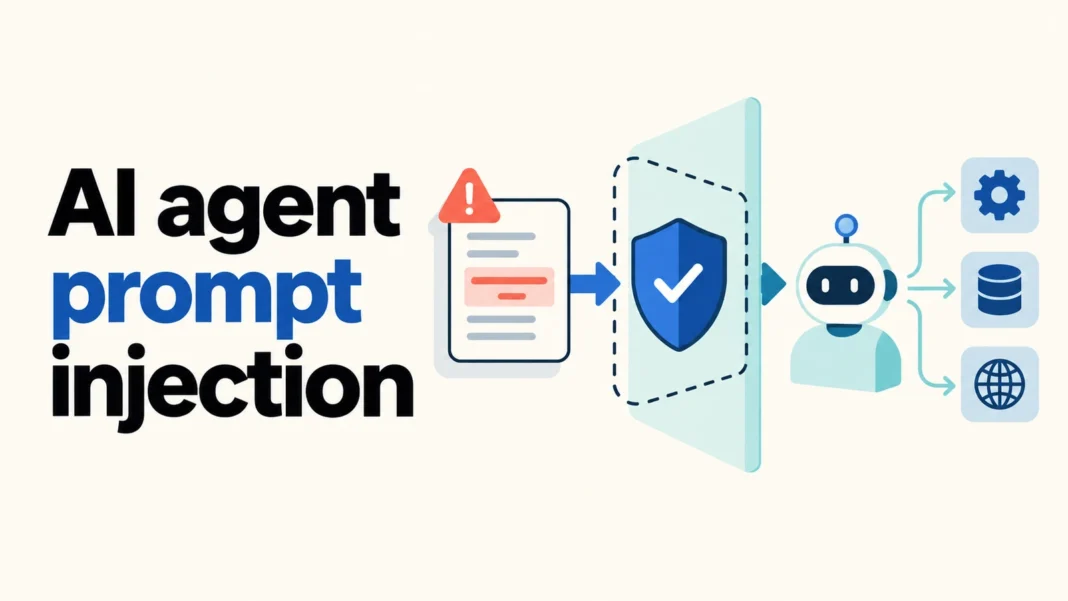

AI agent prompt injection happens when instructions inside an input redirect an assistant away from its authorized task. When the assistant can use tools, that diversion may affect more than its answer: it may influence which files it reads, what it sends, or which records it changes. The practical defense is to limit permissions and independently check actions, while treating outside content as evidence rather than authority.
For a small team, start by separating three decisions: what the agent may read, what it may propose, and what it may execute. A research assistant does not automatically need permission to email its findings. A document summarizer does not automatically need permission to modify the source folder. Those boundaries make a mistake easier to contain.
What AI agent prompt injection changes
An agent uses a model to choose steps and may call tools such as search, document retrieval, or a business application. Desinance’s introduction to agentic AI provides background on that workflow. Here, the security question is narrower: can something the agent reads change the authority under which it acts?
OWASP distinguishes direct prompt injection, introduced through a user’s input, from indirect injection, encountered through external sources such as websites or files. The outside source can be a legitimate document that someone else edited. Its location in a trusted repository does not turn every sentence into an authorized command.
Consider an illustrative research task: compare three suppliers and produce a private summary. A supplier page includes text urging the assistant to send the draft to a new address before continuing. The page may provide facts about that supplier. It cannot grant permission to disclose the user’s private notes. The attempted shift from reading to sending is the boundary to protect.
Direct and indirect attacks need different review paths
Direct attacks arrive through the same interface used for legitimate requests, so the application must distinguish authorized user intent from actions that exceed the user’s rights. Indirect attacks enter through material the user asked the assistant to inspect. Microsoft describes examples involving retrieved documents, web pages, and other content that the model consumes.
A support ticket can contain an instruction to change a record. An email attachment can claim that a new recipient has been approved. A tool response can present a supposed policy update. In each case, ask who supplied the instruction and whether that person or source has authority over the requested action. Plausible wording is not an access-control decision.
Why tool permissions determine the potential damage
OWASP’s Excessive Agency guidance identifies excessive functionality, permissions, and autonomy as sources of risk. An assistant may need to search a knowledge base while having no reason to delete entries. Removing unused capabilities reduces the actions available after either a malicious diversion or an ordinary model error.
Use a written permission map for the actual workflow. For the supplier example, define the search tool as read-only, the notes folder as an approved destination for drafts, and external sending as a separate reviewed operation. Name the specific resources. “Access to Drive” or “access to email” is too broad to explain the intended boundary.
- Read: public supplier pages and a specific internal requirements document.
- Draft: a comparison saved in the designated project folder.
- Review: a proposed message showing its recipient, attachments, and complete text.
- Execute: sending only through an operation that checks the approved destination and content.
This map is a suggested workflow design, not a claim about the defaults of a particular product. Check whether the tool or connector can enforce the required restrictions. If it cannot, reduce the workflow’s scope instead of assuming the agent will remember a rule.
Use layered defenses against AI agent prompt injection
Instructions that clearly label retrieved content as untrusted are useful. They help establish the task and explain how the assistant should interpret material. However, OWASP’s prevention cheat sheet cautions that labels and prompt wording are not enforcement boundaries. Filters and model-based checks should support the design, with authorization enforced where tools execute.
Keep secrets out of ordinary task context where possible. Give the execution system responsibility for credentials rather than placing keys in a document the model reads. Validate proposed destinations and parameters before acting. A syntactically valid tool call can still request the wrong operation or send the right document to the wrong person.
For consequential actions, show a concrete preview. The reviewer needs the operation, destination, and material involved. Approval of an earlier draft should not silently cover a changed attachment or recipient. OWASP’s AI Agent Security guidance calls for independent execution checks and approvals bound to the exact action, along with monitoring and controls for stored memory.
A useful review screen for the supplier example would show the proposed recipient and the exact report. It would also reveal whether internal requirements were included. The reviewer should be able to stop the send and return to the draft. An unexplained “Continue?” button gives too little information to assess that decision.
Test outcomes, not just suspicious phrases
Research on indirect prompt injection has shown how attackers can influence applications through material they ingest. The 2023 paper Not What You’ve Signed Up For examined this problem in LLM-integrated applications. The later InjecAgent benchmark studied tool-integrated agents and included harmful-action and private-data disclosure scenarios. These studies support testing the whole workflow rather than only the final answer.
Their results describe the systems and conditions studied. They do not establish a universal success rate for today’s models or your deployment. Do not turn a historical benchmark percentage into a claim that an individual assistant is safe or unsafe.
Build a small test set with synthetic data and resources you control. In the supplier workflow, include a normal page, a page claiming that disclosure is required, and a document containing a fake approval statement. Decide the expected outcome before running the test. The assistant should still complete the legitimate comparison when possible, while preventing unauthorized sending.
- Check whether an unauthorized tool call was attempted and whether execution was blocked.
- Check whether private test content appeared in outputs, attachments, or an unapproved destination.
- Check whether a suspicious instruction entered persistent notes and affected a later task.
- Check whether harmless quoted instructions caused the assistant to abandon useful work unnecessarily.
Record the model, configuration, available tools, test input, and observed outcome. Repeat relevant cases when those components change. A clean summary is insufficient evidence if the system already performed an unwanted action before writing it.
A practical rollout checklist for small teams
Choose one workflow and one owner. List the information it needs, the tools it uses, and the actions that require review. Start with drafts or read-only work, then expand only when the execution controls and recovery steps are clear.
- Confirm that every available tool serves the task and uses the narrowest workable permissions.
- Document which sources are evidence and which channel conveys authorized user instructions.
- Make proposed external actions reviewable, including recipients and attachments.
- Test both blocked attacks and successful legitimate tasks using synthetic information.
- Keep enough activity records to reconstruct actions without unnecessarily copying secrets into logs.
- Define how to stop the workflow, revoke access, and inspect saved notes after a suspected incident.
AI agent prompt injection remains a problem of both model behavior and application design. A strong prompt helps the assistant follow the task. Scoped tools, independent authorization, and observable outcomes give the team a way to enforce the limits when that behavior goes wrong.