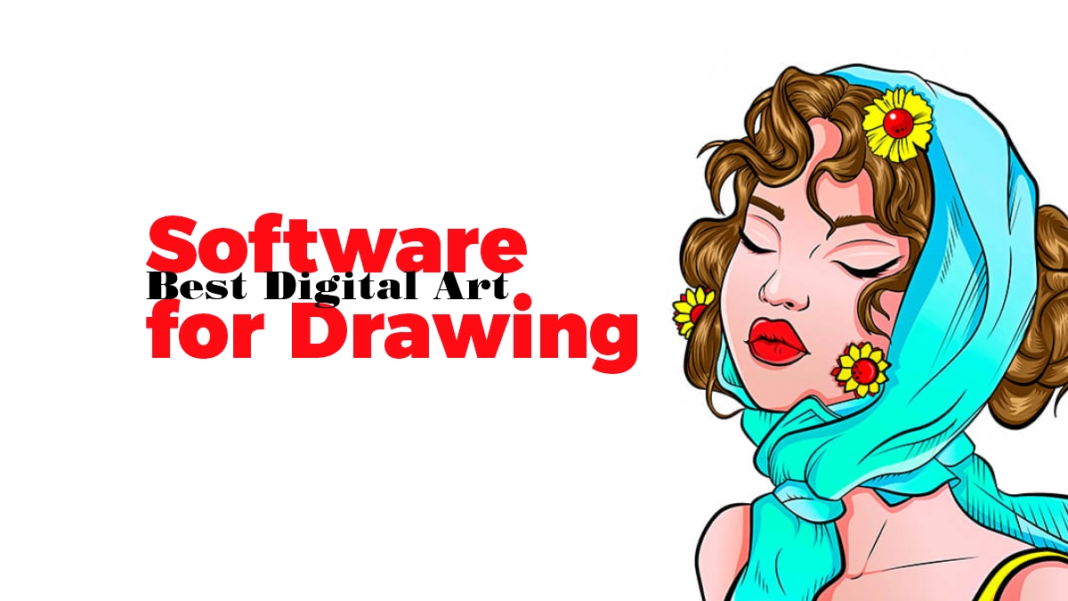

Whether you sketch characters, paint concept art, or illustrate comics, choosing the Best Digital Art Software for Drawing can make or break your workflow. In this 2026 guide, we compare top free and paid tools on brush realism, vector capabilities, animation, pricing, and platform support-backed by trusted 2024-2025 sources and release notes. 12
Introduction: Why your drawing app choice matters in 2026
Art software has evolved fast: AI-assisted brushes, wide-gamut color selectors, vector+raster hybrids, and mobile-tablet parity are now mainstream. Review outlets and developer documentation highlight continuous upgrades to stalwarts like Photoshop, Procreate, Clip Studio Paint, and Krita-plus big redraws to Blender’s Grease Pencil for 2D drawing inside 3D. 3145
Market data reinforces the trend: the creative software segment keeps growing thanks to cloud delivery, subscription access, and a surge in digital content creation. Multiple independent reports estimate a multi‑billion dollar market with steady CAGR through 2030-2034, led by North America and SaaS adoption. 67
Raster Powerhouses: Natural brushes & AI assists
Adobe Photoshop (Paid, Windows/Mac/iPad/Android)
Photoshop remains a versatile drawing canvas with industry-standard layer editing, pen pressure curves, and an expanding set of generative AI features (Generate Image, Generative Fill/Expand, Harmonize, Upscale). These speed ideation and cleanup while remaining non-destructive on separate layers-useful when sketching, refining line art, and painting. 3
2025-2026 updates concentrated in the contextual task bar and model picker, adding control over Firefly models and new tools like Generate Background/Similar. That’s extra mileage for illustrators who block compositions, remove distractions, or extend canvases on deadline. 38
Who it’s for: Artists who need tight integration with Adobe’s ecosystem, advanced compositing, and AI‑accelerated ideation.
Watch-outs: Subscription-only pricing and “generative credits” require budgeting; overreliance on AI can risk stylistic consistency if not curated. 38
Krita (Free/Open Source, Windows/Mac/Linux/Android)
Krita is a pro-grade painting app with robust brush engines and tablet support. Version 5.2 brought a wide-gamut color selector, built-in FFmpeg for animation export, and a rewritten text layout engine (vertical text, text-on-path, OpenType), plus friendlier fill/selection options. These updates improve precision for painters and comic artists who need HDR-aware color and efficient animation timelines. 910
Documentation and community posts also detail undo merging, improved CMYK blending modes (closer PSD interchange), and layer-handling improvements-handy when your drawing pipeline crosses apps. 11
Who it’s for: Painters and animators seeking a free, extensible tool with broad color management and animation features.
Watch-outs: Interface can feel dense to newcomers; some typography UI and advanced features still evolve across point releases. 10
Vector & Hybrid Illustration: Clean lines, comics, and ink
Clip Studio Paint (Paid/One-time + Update Pass or Subscription; Win/Mac/iPad/Android/Chromebook)
Clip Studio Paint (CSP) dominates manga/comics and concept art: natural inking, vector layers for crisp lines, perspective rulers, and multi-page projects. Pricing updated in 2024-2025: perpetual licenses available per version (e.g., Ver. 4.0) with discounted major-version upgrades or an Update Pass to access latest features; subscriptions offer all updates across devices. 1213
Third-party trackers and reviewers corroborate current plan tiers and costs (single-device, dual-device, premium, smartphone), useful for budgeting across tablets and desktops. 1415
Who it’s for: Comic artists and illustrators needing vector+raster synergy, page management, and animation up to professional EX level.
Watch-outs: Features are gated by major versions on perpetual licenses; ensure you plan upgrades or choose subscription for continuous updates. 13
Adobe Illustrator (Paid, Windows/Mac)
Illustrator remains the vector benchmark for logos and scalable line art. Current roundups place it at the top for vector editing-with text-to-vector integrations increasingly appearing in reviews. If your drawing style demands infinitely scalable curves and precise strokes (poster art, UI icons), this is a safe pick alongside Photoshop. 16
Tablet-first Apps: Mobility, brush feel, and animation
Procreate (Paid, iPad) & Procreate Dreams (Paid, iPad)
Procreate’s tactile brush engine and iPad-native workflow make it a favorite for illustrators on the go. For animation and cinematics, Procreate Dreams 2.0 (2025) introduced a rebuilt drawing experience with Lasso selections, Transform, multiple Flipbook tracks, GIF export, and 180 new animation-centric brushes-closing gaps many artists asked for. 4
Creative Bloq coverage signals strong value for Procreate as the best iPad app for digital art, and notes Dreams’ planned upgrades on selections and timeline redesign (free update for existing owners). Pair these with iPad + Apple Pencil for a portable studio. 117
Who it’s for: Artists prioritizing touch + pencil feel, quick sketching, and straightforward animation workflows.
Watch-outs: Still raster-based; no native vectors. Exporting layered files to desktop apps requires planning; Dreams and Procreate are separate purchases. 18
Drawing in 3D: The Grease Pencil renaissance
Blender (Free/Open Source; Windows/Mac/Linux)
Grease Pencil lets you draw 2D strokes directly in a 3D scene-great for storyboard, animation, and hybrid styles. Blender 4.3/4.4 release notes highlight a rewritten Grease Pencil core with Layer Groups, brush assets, refined draw tool behavior (radius units, spacing), and improved smoothing. For 2024-2025, this dramatically improves stroke feel and organization for 2D artists working in 3D contexts. 195
The official manual outlines Draw, Edit, Sculpt modes, stroke placement, and planes-key fundamentals for artists transitioning from flat canvases to spatial drawing. 2021
Who it’s for: Animators and visual storytellers who benefit from camera moves, parallax, and 3D scene composition while keeping hand-drawn lines.
Watch-outs: Mode switching adds learning curve; best results require comfort with Blender’s broader UI conventions. 22
Comparative Snapshot: Free vs. Paid Drawing Apps (2026)
- Best all‑rounder with AI: Adobe Photoshop-deep raster toolkit, Firefly-powered generation and cleanup. 3
- Best free painter: Krita-pro brush engines, HDR-aware color selector, animation export with built-in FFmpeg. 9
- Best comics/manga: Clip Studio Paint-vector+raster, multi-page projects, affordable perpetual or subscription paths. 13
- Best iPad drawing: Procreate-fast, intuitive, fantastic brush feel; Dreams adds robust animation. 14
- Best 2D-in-3D: Blender Grease Pencil—-ayer groups, brush assets, refined stroke physics for hybrid workflows. 19
Best Digital Art Software for Drawing (Free Options)
Krita: Pro painting without the price
Krita’s realistic brushes, HDR-aware color tools, and animation workspace make it the standout free choice. The 5.2 updates simplified video export and upgraded text handling-good news for illustrators who add type to posters, motion frames, or comics. 10
Blender (Grease Pencil): Free 2D+3D fusion
If your style benefits from camera depth or 3D staging, Grease Pencil’s layer groups, brush assets, and smoother draw algorithms in 4.3+ create professional results without licensing fees. 19
GIMP: Open-source with an eye on 3.0
While not purpose-built for painting like Krita, GIMP’s development previews toward 3.0 (2.99.18) show stronger color correctness, non-destructive effects, and better font handling-useful for mixed workflows. 23
Best Digital Art Software for Drawing (Paid Picks)
Photoshop: AI‑accelerated sketch→paint
Blending classic brush engines with Firefly features, Photoshop remains a top choice for concept art, matte painting, and editorial illustration-especially when timelines demand fast iteration. 3
Clip Studio Paint: Inking and comics
Vector layers and manga tools (paneling, perspective rulers) shine for inkers and storytellers; flexible licensing lets you choose one-off purchase plus upgrades or go subscription for constant features. 13
Procreate + Dreams: iPad creativity
Procreate excels at brush feel; Dreams 2 adds serious animation capabilities with selections, transform, layered Flipbook tracks, and GIF export-ideal for social content and shorts. 4
Accessory Insights for Drawing Apps (Tablets & Pens)
Pairing the right hardware with software boosts line quality and reduces fatigue. 2025 reviews of Wacom Intuos Pro highlight thinner designs, tactile dials, Pro Pen 3 modularity, and improved report rates-precision artists will notice smoother pressure curves and lower latency. 24
Wacom’s CES 2025 news also emphasized protection tools like Yuify for secure asset marking-relevant if you share work online and want traceability. 25
Brush realism vs. vector control
- Raster realism: Krita’s engines + Photoshop’s brushes deliver textured strokes and blend modes. If your art hinges on painterly grain and soft edges, raster is unmatched. 103
- Vector precision: Clip Studio and Illustrator excel when clean, scalable lines matter (logos, posters, inked comics). CSP’s vector layers give pen stabilizers and editability after the stroke. 1316
- Hybrid workflows: Use raster for underpainting and vector for final inks; CSP and Photoshop play nicely when exporting layered PSD/AI for print. 16
Takeaway: Choose raster-first if texture is your brand; vector-first if crisp scale and post-edit control are paramount.
Animation & motion: Flipbooks vs. timeline
- Krita: Frame-by-frame animation with built-in FFmpeg simplifies exports to MP4/gif; onion skinning and audio sync aid timing. 9
- Procreate Dreams 2: Multiple Flipbook tracks, selections/transform inside drawing, custom keyboard shortcuts, and smooth GIF export elevate motion work on iPad. 4
- Blender Grease Pencil: Camera moves and parallax, plus rewritten stroke behavior, suit hybrid 2D/3D shorts. 19
Takeaway: iPad-first animators should consider Dreams 2; desktop animators who paint should consider Krita; hybrid storytellers benefit from Grease Pencil.
Pricing models & long-term ownership
- Adobe Photoshop: Subscription grants continual features (including AI); budget for credits and plan tiers. 3
- Clip Studio Paint: Perpetual per major version + Update Pass (annual) for latest features or subscription across devices-clarified by official support docs. 13
- Procreate/Dreams: One-time purchase; major updates delivered without subscriptions, ideal for cost-conscious individuals. 18
- Krita/Blender/GIMP: Free and open source; consider donating to support ongoing development. 92023
Takeaway: If you value stability and low recurring cost, one-time apps and FOSS win; if you need bleeding-edge AI and enterprise workflows, subscriptions are justified.
Platform & ecosystem considerations
- iPad-first creators: Procreate + Dreams deliver top-tier drawing feel; export flows to desktop when needed. 14
- Desktop multi-app pipelines: Photoshop + CSP + Illustrator cover concept→ink→layout; Krita slots in for painting and animation without subscription overhead. 31316
- 2D/3D hybrid studios: Blender’s Grease Pencil enables direct 2D drawing in 3D scenes; good for previz, stylized films, and mixed-media shorts. 19
People Also Asked: Best Digital Art Software for Drawing (FAQ)
Q1: What is the Best Digital Art Software for Drawing if I’m a beginner?
For beginners, Procreate (iPad) offers immediate brush feedback and simple UI; Krita is an excellent free desktop alternative with robust brushes and tutorials. 19
Q2: Which drawing software is best for comics and manga?
Clip Studio Paint leads for paneling, vector inking, and multi-page workflows; its licensing paths (perpetual + Update Pass or subscription) fit both hobbyists and pros. 13
Q3: Is Photoshop still the Best Digital Art Software for Drawing in 2026?
Photoshop remains a top all-rounder, especially with Firefly-powered features that accelerate ideation and cleanup, but it’s subscription-based-evaluate budget and AI credit usage. 3
Q4: Free options-can they match paid tools?
Krita and Blender Grease Pencil can deliver pro results. Krita’s 5.2 color and animation updates, and Grease Pencil’s 4.3 rewrite, significantly raise the bar for free drawing. 919
Q5: What’s the Best Digital Art Software for Drawing on a laptop + pen tablet?
Photoshop or Krita pair well with Wacom Intuos Pro (2025), which reviewers praise for precision and Pro Pen 3 ergonomics-ideal for line control and shading. 24
Conclusion: The right “best” depends on your art style and pipeline
In 2026, the Best Digital Art Software for Drawing isn’t a single title-it’s the tool that matches your style, platform, and budget:
- Choose Photoshop for AI‑accelerated sketching/painting in a polished ecosystem. 3
- Choose Krita for free, high-fidelity painting and solid animation exports. 9
- Choose Clip Studio Paint for comics and precise vector inks with sensible upgrade paths. 13
- Choose Procreate/Dreams for iPad-native drawing and modern Flipbook animation. 4
- Choose Blender Grease Pencil to draw in 3D space with evolving stroke tools. 19
Expert quote:
“Pick the canvas that amplifies your strengths. Painters thrive on brush nuance-Krita and Photoshop shine there. Inkers and storytellers need editable lines-Clip Studio fits like a glove. If your imagination flows through motion, Procreate Dreams or Grease Pencil will feel like home.”
– Editorial perspective synthesized from 2024–2025 developer notes and multi‑platform reviews. 93191