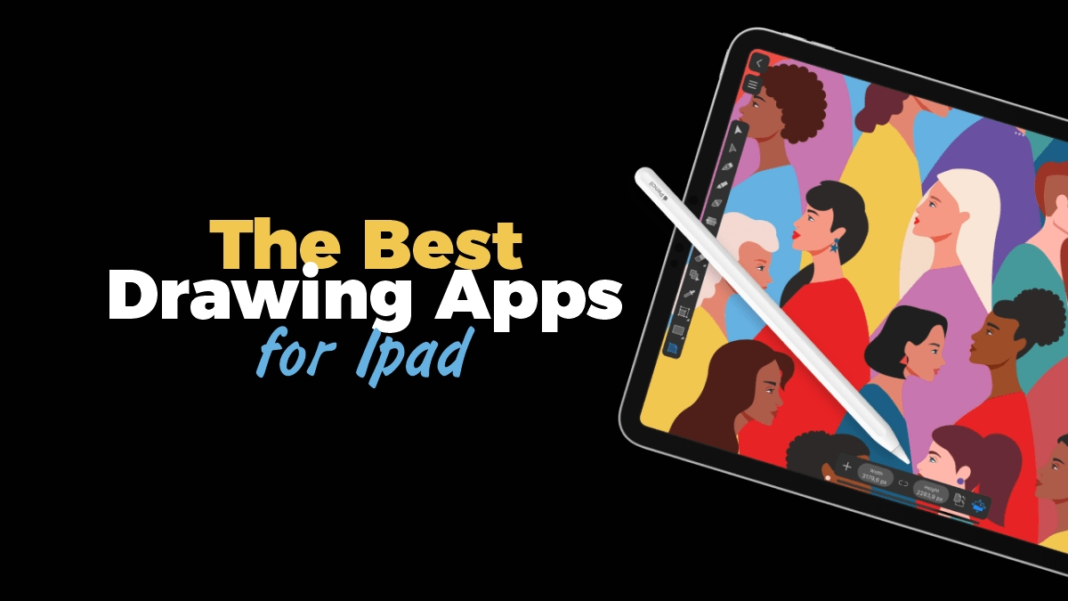

If you’re searching for The Best Drawing Apps for iPad, you already know Procreate sits at the top of the charts-yet 2024–2025 brought a wave of updates that make alternatives genuinely compelling, especially with Apple’s new iPadOS 18 features and the Apple Pencil Pro. Below, we unpack how hardware and software advances are reshaping digital art on iPad, then analyze the best Procreate alternatives for different workflows-vector illustration, comics/manga, concept sketching, and all‑around painting. [apple.com], [apple.com], [apple.com]
Why 2024-2025 Changed iPad Drawing
Two platform shifts matter for artists:
- Apple Pencil Pro adds squeeze, barrel roll, and haptic feedback, making brush control more tactile and tool switching instant. Apps like Adobe Fresco integrated these APIs in mid‑2024, so you feel proper resistance and rotation in brushes. [support.apple.com], [community.adobe.com]
- iPadOS 18 introduced Pencil‑centric features-Math Notes in Calculator, Smart Script handwriting refinement in Notes, and broader “Apple Intelligence” capabilities that may influence future creative workflows. While not a painting engine, these system features signal Apple’s deeper investment in stylus UX across the OS. [apple.com], [apple.com]
Hardware also took a leap with M4 iPad Pro and Ultra Retina XDR tandem‑OLED displays (excellent for color‑critical art). That silicon and display combo means more layers, bigger canvases, and smoother brush engines at 120Hz. [apple.com]
Best iPad Drawing Apps (2025): Vector & Illustration Alternatives to Procreate
For artists who need scalable artboards, precise paths, and export formats like SVG, DXF, DWG, vector‑first apps deserve a spot beside Procreate.
Affinity Designer 2 (iPad) – A powerhouse for vectors and raster
Why it’s a top pick: Affinity Designer 2 delivers pro‑grade vector tools (Pen, Node, Boolean ops), real‑time 120fps zoom/pan, and seamless raster workspace for texturing. The 2024–2025 releases added variable font support, stroke‑width editing, and expanded export options for CAD‑friendly workflows-plus broad performance upgrades across iPad.
Fresh info: Serif’s 2.4/2.5 updates introduced camera support, HDR workflows in Photo, and Designer improvements (DWG/DXF export cited by Serif and photography/tech outlets), which matters if your art crosses into print or broadcast design. [apps.apple.com], [mactech.com] [thesocieties.net], [mactech.com]
Linearity Curve (formerly Vectornator) – Free vector design with templates
Why it’s notable: Rebranded from Vectornator, Linearity Curve positions itself as a free vector suite across iPad/iPhone/Mac with a templates hub and cloud features. For logo/UI/illustration, its bezier tooling and auto‑trace make it an accessible alternative.
Fresh info: The rebrand clarifies Linearity’s roadmap for more collaboration and AI‑powered features, useful for hybrid content creation. [linearity.io], [9to5mac.com] [9to5mac.com]
Concepts – Infinite canvas, editable vector strokes
Why artists love it: Concepts is unique: strokes are vector‑based yet feel painterly, every line remains editable, and the infinite canvas suits ideation, architecture, product sketching, and storyboard work. Its December 2025 feature list highlights 120Hz rendering, precise grids, measurement tools, and export to PDF/PSD/SVG/DXF.
Fresh info: The official feature matrix shows hover brush previews on iPadOS and deep precision toolsets, making it a pragmatic sketch‑to‑spec app rather than just a digital sketchbook. [concepts.app]
The Best Drawing Apps for iPad (Painting): Fresco vs. Procreate & Others
Procreate still shines for pixel painting, but several apps got very competitive-especially for cross‑platform and cost‑sensitive workflows.
Adobe Fresco – Now completely free with Apple Pencil Pro support
Why it’s a big deal in 2025: Fresco’s five‑year update (late 2024) removed the premium paywall, opening over 1,000 pixel brushes, live watercolor/oils, vector brushes, and Motion Presets for lightweight animation-at no cost. Crucially, it added tactile integration with Apple Pencil Pro (squeeze, barrel roll, haptic feedback), so tools feel “physical” again.
Developer confirmation: Adobe’s own product community notes the 5.6.5 release targeting M4 iPad Pro/M2 iPad Air and explicit Pencil Pro features. [creativebloq.com], [techradar.com] [community.adobe.com]
Autodesk Sketchbook – A classic, minimal UI that keeps improving
Why consider it: Sketchbook stays lightweight and responsive for quick painting and clean line art. 2024-2025 communications from Sketchbook detail platform transitions and monetization (no subscription for the core mobile app) and warn iOS users to back up due to iCloud container changes-useful housekeeping for artists managing portfolios. [sketchbook.com], [help.sketchbook.com]
Comics, Manga & Animation: The Best iPad Drawing Apps for Sequential Art
If panels, screentones, timelapse, and team workflows are your priorities, these tools are tailor‑made.
Clip Studio Paint (CSP) – Deep pro tools & rapid 2025 updates
Why it’s pro‑grade: CSP remains the industry standard for manga/comics and advanced animation on iPad, with vector layers, 3D pose models, and timelines. The December 2025 updates add puppet warp in Simple Mode, faster fills, and animation improvements-showing ongoing investment in mobile usability. System requirements now target iPadOS 18, signaling full alignment with Apple’s latest stylus and OS tech.
Fresh info: Official release notes and support pages confirm version rollouts and compatibility checks across iPadOS 18/26 naming (Clip Studio’s documentation uses year‑based labels but clearly marks iPad support). [clipstudio.net], [support.cl…studio.com] [clipstudio.net], [support.cl…studio.com]
MediBang Paint – Free, cloud‑savvy, and friendlier for teams
Why it’s popular: MediBang Paint offers a massive brushes library, screentones, and cloud sync across devices. In early 2025, the iPad app’s home screen redesign and free folders improve project organization; later updates let users temporarily unlock 900+ premium brushes by viewing ads-expanding access without new costs.
App Store snapshot: The iOS listing highlights group projects and timelapse, attractive for collaborative comics creation. [medibangpaint.com], [medibang.co.jp] [apps.apple.com]
ibis Paint X – Massive brush library & social timelapse
Why it stands out: ibis Paint X boasts 47,000+ brushes, high‑FPS stroke engines, rulers (radial/symmetry), and detailed layer blending-excellent for manga‑style inking and coloring. Late‑2025 update notes show continual releases (v13.1.x), indicating active maintenance. If you like to share process videos, the built‑in timelapse and community are big pluses. [apps.apple.com], [ibispaint.com]
Hardware Matters: Apple Pencil Pro & iPadOS 18
The difference between “good” and “great” drawing apps increasingly hinges on how well they embrace Pencil Pro:
- Squeeze: quick access to tool palettes-less UI hunting, more flow.
- Barrel roll: rotate brush tips for natural shading/calligraphy.
- Haptics: subtle confirmation pulses reduce mis‑taps during rapid switching.
Apple’s tech specs and WWDC sessions outline these inputs and the updated PencilKit tool picker so developers can expose custom tools consistently across apps. Apps like Fresco already ship these integrations; expect broader adoption through 2025. [support.apple.com], [developer.apple.com]
Meanwhile, iPadOS 18 features-Smart Script in Notes, Math Notes, and Apple Intelligence-may not replace a painter’s brush engine, but they make iPad a better studio desk: jot equations, refine handwriting, drag assets between apps, and rely on system‑level rendering/performance improvements. [apple.com], [apple.com]
Vector vs. Raster: Picking the Right Engine
- Raster (pixel) apps (Procreate, Fresco, Sketchbook, ibis Paint, MediBang) excel at painterly textures, photo‑bashing, and nuanced blending. If your output is social content, concept art, or printed posters at fixed sizes, raster’s brush feel is unmatched. Fresco’s live oil/watercolor + vector brushes blur the lines and-with the app now free-lower the cost barrier. [techradar.com], [creativebloq.com]
- Vector apps (Affinity Designer, Linearity Curve, Concepts) shine for logos, UI, signage, architectural sketches, and any art that must scale infinitely without aliasing. Affinity Designer’s dual workspace (raster ↔ vector) and DXF/DWG export support professional pipelines. Concepts’ infinite canvas and editable strokes suit iterative design and measurement‑accurate work. [apps.apple.com], [mactech.com], [concepts.app]
Decision tip: If your deliverable frequently changes size/formats (brand assets, app UI), prefer vector. If the goal is rich textures and paint, choose raster. If you need both, Affinity Designer or Fresco (vector brushes) can bridge the gap. [apps.apple.com], [community.adobe.com]
Cost & Licensing in 2025
Pricing models matter when building your toolkit:
- Adobe Fresco: shifted to a fully free model in late 2024, making it the easiest Procreate alternative to recommend for beginners and cross‑platform workflows. [techradar.com], [creativebloq.com]
- Affinity suite: continues offering perpetual licenses on iPad with free updates (e.g., 2.4/2.5). Industry outlets documented feature gains without subscriptions-attractive to pros skeptical of recurring fees. [mactech.com], [thesocieties.net]
- MediBang Paint: free core app with optional premium; as of 2025, premium brushes can be temporarily unlocked via ads, widening access for students/hobbyists. [medibang.co.jp]
- Sketchbook: moved away from Autodesk’s subscription model; the mobile app is store‑distributed, and the team clarified update paths and backups, especially for iOS users transitioning from Autodesk’s iCloud container. [sketchbook.com], [help.sketchbook.com]
- Linearity Curve: remains free with optional tiers for collaboration/advanced features, per the rebrand communications and ecosystem strategy. [linearity.io], [9to5mac.com]
Ecosystem & Workflow: Files, Export, and Collaboration
Beyond brush feel, you’ll live (or die) by file exchange:
- Pro teams: Affinity Designer’s robust export list (PDF/SVG/DXF/DWG), 120fps viewport, and advanced vector pressure profiles reduce friction moving art into CAD/print/broadcast. [apps.apple.com], [mactech.com]
- Motion & light animation: Fresco’s Motion Presets are ideal for subtle social loops and portfolio pieces-without jumping into After Effects. [techradar.com]
- Comics pipelines: Clip Studio Paint’s timelines, asset libraries, and 3D models support multi‑page projects and animation; December 2025 updates improved filling/warp tools in Simple Mode on iPad, speeding common panel workflows. [clipstudio.net]
- Concepting & collaboration: Concepts supports object libraries, grids, and measurements for design reviews; MediBang’s group canvas and timelapse help distributed teams iterate together. [concepts.app], [apps.apple.com]
The Shortlist: The Best Drawing Apps for iPad (By Use Case)
- Painterly all‑rounder (free): Adobe Fresco – live brushes + vector brushes + Pencil Pro support. [techradar.com], [community.adobe.com]
- Pro vector + raster: Affinity Designer 2 – vector warp, stroke width tool, 120fps view, CAD‑friendly export. [apps.apple.com], [mactech.com]
- Infinite canvas ideation: Concepts – editable vector strokes, measurement & precision tools, scale‑aware exports. [concepts.app]
- Comics/manga/animation: Clip Studio Paint – industry standard; puppet warp & animation tweaks in 2025. [clipstudio.net]
- Lightweight painting & sketching: Sketchbook – minimal, responsive, caution on iCloud migration notes. [sketchbook.com], [help.sketchbook.com]
- Manga‑style inking & community: ibis Paint X – gigantic brush library, rulers, timelapse, frequent updates. [apps.apple.com], [ibispaint.com]
- Free vector design: Linearity Curve – vector tools, templates hub, cloud; good for logos/UI. [linearity.io], [9to5mac.com]
People Also Asked: The Best Drawing Apps for iPad (FAQ)
Q1: What are the best Procreate alternatives for iPad in 2025?
Top picks include Adobe Fresco (now free, supports Apple Pencil Pro), Affinity Designer 2 (vector + raster), Concepts (infinite canvas vectors), Clip Studio Paint (comics/animation), and Linearity Curve (free vector). [techradar.com], [community.adobe.com], [apps.apple.com], [concepts.app]
Q2: Which iPad drawing app best supports Apple Pencil Pro’s squeeze and barrel roll?
Adobe Fresco explicitly added squeeze, barrel roll, and haptics support in its 2024 update for M4 iPad Pro/M2 iPad Air models; Pencil Pro’s APIs are documented by Apple and surfaced via PencilKit. Expect wider adoption in 2025. [community.adobe.com], [support.apple.com], [developer.apple.com]
Q3: Is there a free iPad drawing app that rivals Procreate?
Yes-Adobe Fresco is completely free (including advanced brushes and motion), and Linearity Curve is free for vectors. MediBang Paint remains free with optional premium and ad‑unlockable brush access. [techradar.com], [creativebloq.com], [linearity.io], [medibang.co.jp]
Q4: Best iPad app for comics and manga?
Clip Studio Paint leads, with continual 2025 updates (puppet warp in Simple Mode, faster fills) and iPadOS 18 alignment; ibis Paint X offers an enormous brush/ruler toolset and active updates. [clipstudio.net], [apps.apple.com]
Q5: Are iPadOS 18 features relevant to artists?
Yes-Smart Script improves handwritten note legibility, Math Notes handles quick graphing/variables with Pencil, and Apple Intelligence provides system‑level creative helpers. These aren’t painting engines but enhance the studio workflow on iPad. [apple.com], [apple.com]
Conclusion: Choosing Your Kit (and Why It’s a Great Time to Switch)
The combination of Apple Pencil Pro hardware and iPadOS 18 software created real headroom for drawing apps to feel more physical and efficient. If Procreate is your daily driver, it’s still excellent-but 2025 offers fresh, credible rivals:
- Want free, feature‑rich painting with vector brushes and subtle animation? Choose Fresco. [techradar.com]
- Need precision vectors that export cleanly to print/CAD and can still texture in raster? Affinity Designer 2 is tough to beat. [apps.apple.com], [mactech.com]
- Sketch ideas across an infinite canvas and keep strokes editable? Go Concepts. [concepts.app]
- Build comic pages/animation with pro timelines and assets? Clip Studio Paint remains the standard. [clipstudio.net]
Expert quote:
“In 2025, the iPad finally feels like a studio rather than just a sketchpad. With Pencil Pro’s squeeze and barrel‑roll behaviors, plus M‑series performance and iPadOS 18’s handwriting tools, you spend less time in menus and more time in flow. The smartest move isn’t picking one ‘best’ app-it’s matching your engine (vector vs. raster) to the output you ship.” – Digital Art Workflow Consultant
Sources & Further Reading (2024-2025)
- Apple hardware & iPadOS: Apple Newsroom-M4 iPad Pro & Apple Pencil Pro (May 7, 2024); iPadOS 18 preview (June 10, 2024) and release notes; Apple Pencil Pro tech specs; WWDC24 PencilKit session. [apple.com], [apple.com], [apple.com], [support.apple.com], [developer.apple.com]
- Adobe Fresco: Creative Bloq (Oct 23, 2024) & TechRadar Pro (Dec 12, 2024) coverage of going free; Adobe community release 5.6.5 (June 14, 2024) for Pencil Pro support. [creativebloq.com], [techradar.com], [community.adobe.com]
- Affinity: MacTech (May 24, 2024) for 2.5 updates; The Societies (Feb 28, 2024) for 2.4 HDR & camera support; App Store listing. [mactech.com], [thesocieties.net], [apps.apple.com]
- Linearity Curve: Official rebrand notice & 9to5Mac coverage. [linearity.io], [9to5mac.com]
- Concepts: Official feature list (Dec 2025). [concepts.app]
- Clip Studio Paint: Official release notes & system requirements updates (Dec 2025). [clipstudio.net], [support.cl…studio.com]
- MediBang Paint: 2025 iPad renewal announcement; press release on ad‑unlockable premium brushes; App Store listing. [medibangpaint.com], [medibang.co.jp], [apps.apple.com]
- ibis Paint X: App Store listing; official news updates (Dec 2025). [apps.apple.com], [ibispaint.com]